
Write and preview
Mac offers Visual and Source modes with shared undo and redo. Unsupported complex syntax stays visible as source. Preview supports KaTeX, Mermaid, and code highlighting.
macOS · iPhone · iPad
Mac 3.0 adds native Visual editing alongside Markdown source. Preview and export your work, with documents in a local folder or in iCloud.
Mac version 3.0.0 requires macOS 26.0 or later on Apple silicon Macs. It is signed with Developer ID, notarized by Apple, and includes automatic updates. Mac, iPhone, and iPad versions are also available on the App Store; platform versions are updated separately.
For Intel Macs or earlier macOS versions: Download legacy 2.6.0 (324) · macOS 12+ · Apple silicon + Intel · SHA-256
Inside the app · 6 screenshots
Screenshots from GrayCat Markdown 2.6.0 show live preview, rich rendering, AI scope confirmation, version history, and export. These earlier screenshots do not show the native Visual editor added in 3.0.
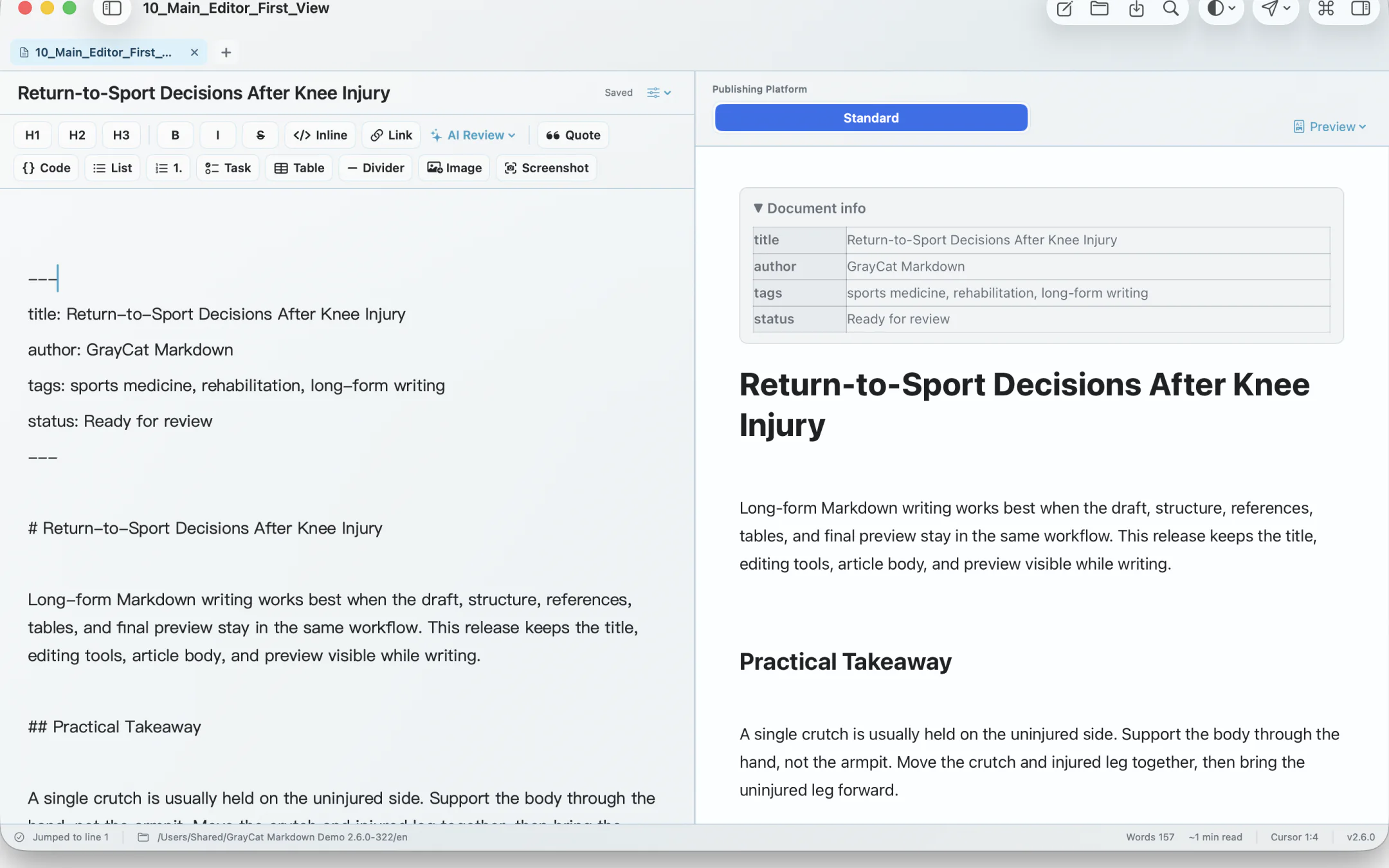
Mac offers Visual and Source modes with shared undo and redo. Unsupported complex syntax stays visible as source. Preview supports KaTeX, Mermaid, and code highlighting.
Export HTML, PDF, and long images, plus DOCX on Mac. Enable publishing tools in Settings when needed to prepare previews and copies for WeChat Official Accounts, Zhihu, and Toutiao.
Use local files or your own iCloud documents and continue writing on Mac, iPhone, and iPad.
Use an on-device model where supported, or connect a cloud provider with your own API key. The app shows the selection or full-document scope before text is sent.
GrayCat Markdown does not require a GrayCat account. Documents stay in a local folder you choose or in Apple iCloud; the developer cannot access your iCloud documents.
Cloud AI is optional. Requests go directly from your device to the provider you configure; GrayCat does not route them through its own server. Read the privacy policy for the complete scope.