Local music library
Drag in audio files or folders, browse albums, artists, and tracks, then organize them with search, playlists, Loved, ratings, and play counts.
macOS · Direct download and App Store
Play and organize music files you keep yourself, with no streaming account. Your library, playlists, ratings, and playback preferences stay on this Mac.
Direct version 1.0.0 requires macOS 14.0 or later on Apple silicon + Intel Macs. It is signed with Developer ID and notarized by Apple. To update the direct edition, download the latest version from this page. Current App Store version: 1.0. Install and update it through the App Store.
SHA-256 · GraycatTunes privacy · GraycatTunes support
Inside the app · 3 screenshots
These screenshots show GraycatTunes' local library, queue, full-screen vinyl view, live spectrum, and ten-band equalizer.
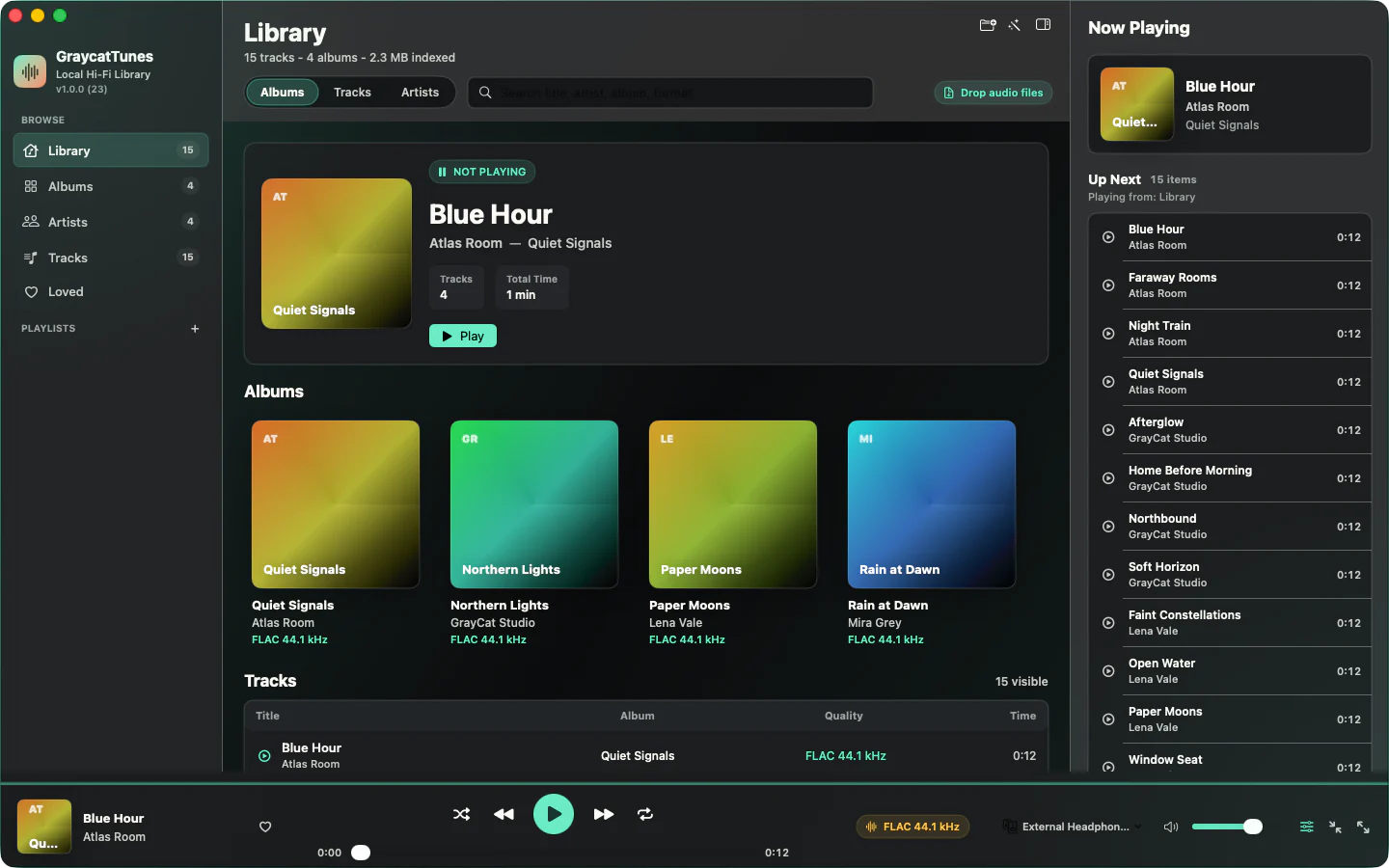
Drag in audio files or folders, browse albums, artists, and tracks, then organize them with search, playlists, Loved, ratings, and play counts.
Play FLAC, ALAC, WAV, AIFF, MP3, AAC/M4A, and CAF, with a signal-path readout for format, bit depth, and sample rate.
Shape playback with a ten-band EQ, preamp, built-in presets, and custom presets you can save.
Choose a specific DAC, pair of headphones, or speakers, or follow the system default. Sound Check can align loudness across tracks.
Move between the main window, mini player, menu-bar controls, and full-screen vinyl view, with media-key and Control Center support.
Review iCloud files that are not downloaded, disconnected external-drive items, and duplicates without moving the original music files.
GraycatTunes runs in the App Sandbox and accesses only files and folders you select, drag in, or open through macOS. It does not copy or upload your music files.
The app includes no advertising, analytics, tracking, or third-party telemetry and makes no network requests of its own. If a file you keep in iCloud Drive is not downloaded, macOS downloads it only after you ask.
Read the complete GraycatTunes privacy policy, or visit support for common questions.