
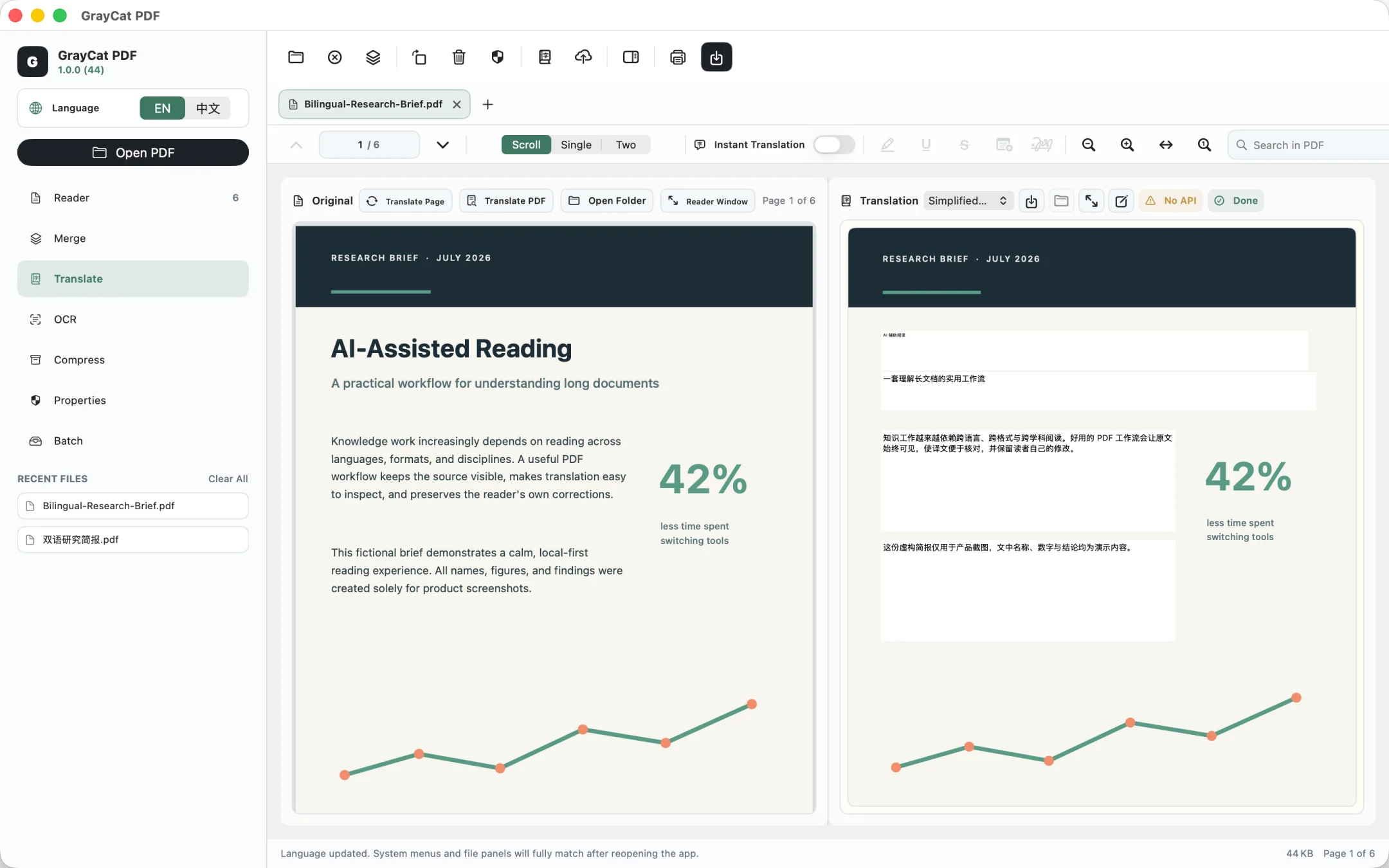
Read a PDF and its translation side by side
Open a document, choose a translation path, review each page, and export a side-by-side PDF.
See the stepsmacOS · Direct download and App Store
Read original and translated pages side by side, with OCR, annotations, signatures, merging, compression, and export in the same app.
Direct version 1.0.2 requires macOS 14.0 or later and supports Apple silicon and Intel Macs. It is signed with Developer ID and notarized by Apple. To update the direct edition, download the latest version from this page. Current App Store version: 1.0.1. Download and update on the App Store; availability varies by storefront.
SHA-256 · GrayCat PDF privacy · GrayCat PDF support
Inside the app · 6 screenshots
These screenshots show bilingual reading, OCR and document tools, batch processing, merging, and privacy controls.
Task guides
Open a document, choose a translation path, review each page, and export a side-by-side PDF.
See the stepsRun local OCR and understand what changes when the app redraws each page.
See the stepsRead the original and translation side by side. Edit results paragraph by paragraph, save automatically, and resume later.
Select text while reading to see a translation and term explanation informed by the current page context.
Use Apple on-device translation on macOS 15 or later, or connect a supported AI provider, an OpenAI-compatible endpoint, or Ollama running locally.
Continuous, single-page, and two-page modes with outline, full-text search, page jumps, thumbnail reordering, and dark mode.
Make scanned documents searchable, then add highlights, underlines, strikethrough, notes, and handwritten signatures.
Combine and reorder files, extract pages, create a smaller copy, manage passwords and document properties, and export images, Word, or plain text.
PDF files, annotations, signatures, form content, OCR, and other document processing stay on your Mac. GrayCat requires no account and includes no advertising, analytics, or tracking SDKs.
Apple system translation processes text on device. Only after you choose AI translation and confirm the request does the selected text, or the text of the pages you translate, plus page context go directly to your chosen provider or endpoint. The developer runs no relay server and cannot access that content.
API keys stay in this Mac's system Keychain. Read the GrayCat PDF privacy policy for the complete scope, or visit support for common questions.